
Book Pathao and Steadfast from orders
Stop copying addresses into courier panels. StoreOS books Pathao or Steadfast from the order on a paid plan. Check live rates in the courier merchant panel.
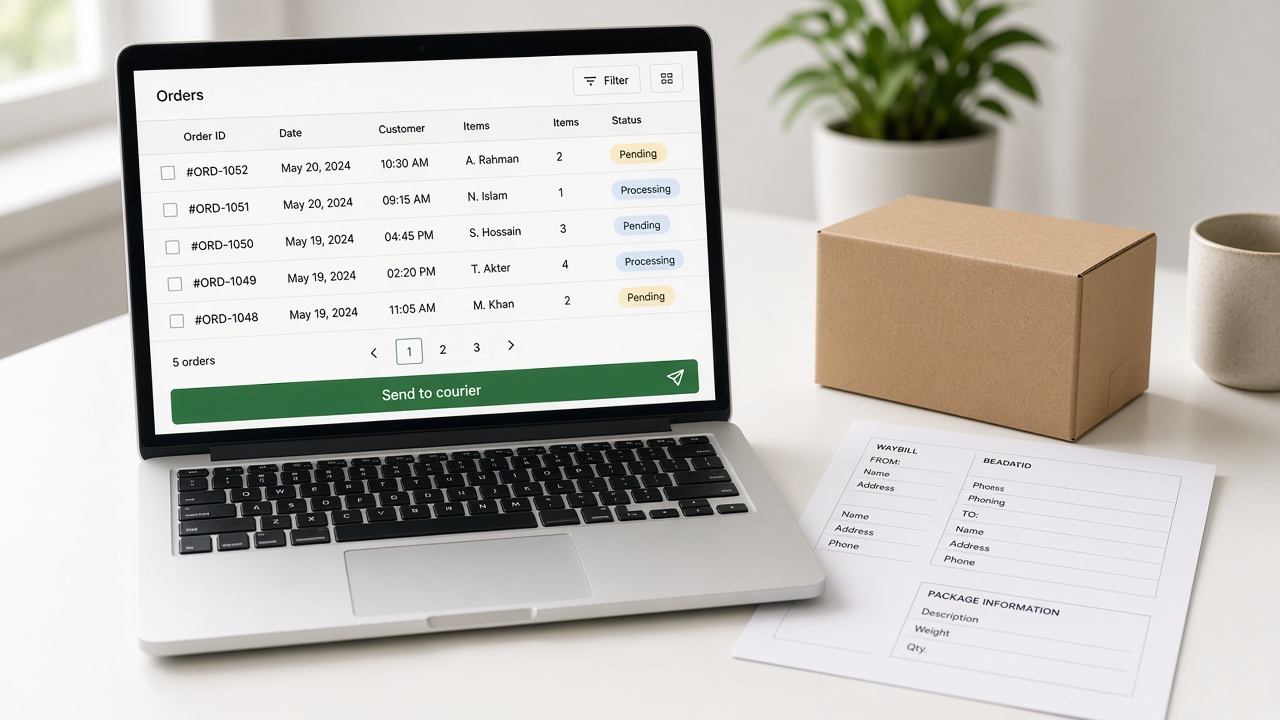
The order is in a Facebook thread. The address is in a note. Pathao’s merchant panel wants city, zone, area again. Steadfast wants the same story in a second tab.
That is not “logistics strategy.” That is typing.
Sellers in this market use both couriers. Pathao is often cheaper on Dhaka COD percentage. Steadfast is often the other account you already opened. Rates move. Pathao’s own pages and FAQs have not always agreed. Read the live merchant panel before you promise a customer a delivery fee.
StoreOS will not publish a Pathao vs Steadfast rate card. We are not the courier.
What belongs in the store console
The order already has the name, phone, address, line items, and COD amount. Booking the parcel should use that row.
On a paid StoreOS plan, Pathao and Steadfast sit next to stock and checkout. You still need a Pathao or Steadfast merchant account. We do not replace their pickup network. We stop the copy-paste.
Free does not book a courier. Free is the catalog. See pricing.
What to do this week
- Open both merchant panels. Write down your COD percent and return rule. Not a blog’s 2026 table.
- Decide which courier you actually use inside Dhaka vs district.
- Put products in a real catalog so the parcel weight and SKU are not a guess.
- Book from the order list once you are on a paid plan.
If a parcel fails, the order still has to live in one place. That is the next problem. The spreadsheet will not remember which thread promised size M.
GearHaat (gearhaat.com) and Sporty BD (sportybd.com) book local couriers from a store, not from a wall of chats. We do not publish how many parcels.
Related posts
- Trade Licence and DBID for Online Shops in BangladeshDo you need a trade licence to sell online in Bangladesh? What DBID is, the papers each ne…
- bKash Merchant vs Personal Retail Account for Online ShopsNo trade licence? See how a bKash Personal Retail Account differs from a Merchant account,…
- Start from a theme, or bring your own storefrontLive themes cover retail, fashion, food, and more. If the layout is wrong, a developer bui…